
-
How Rust Bans Work: EAC Bans, Game Bans & Admin Bans Explained
How Rust Bans Work – Understanding EAC Bans, Game Bans & Admin Bans
- Rust uses multiple layers of protection to keep gameplay fair, including EAC bans, server admin bans, and Steam game bans.
- This guide explains the differences between each type of ban, how they happen, and what they look like on your account.
What Is an EAC Ban in Rust?
Easy Anti-Cheat (EAC) is the main anti-cheat system used in Rust. When EAC detects unauthorised software, manipulation, injected files, or suspicious behaviour, it issues an EAC Ban.
Key facts about EAC bans:
- They are issued globally — every Rust server using EAC will block the account.
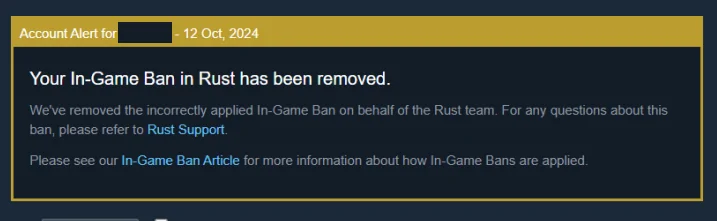
- They appear as “Game Ban” on Steam, but are actually an EAC action.
- EAC bans are permanent — there is no expiration date.
- Ban appeals rarely succeed unless the detection was incorrect.
Official Rust & EAC info: Facepunch Support | Easy Anti-Cheat
Rust "Game Ban" vs "VAC Ban"
Players often confuse these two, but they are different:
- Rust Game Ban: Issued by Facepunch or EAC. Affects Rust only.
- VAC Ban: Valve Anti-Cheat. Rust does NOT use VAC.
If you see Game Ban on your Steam profile, it was issued by Rust/EAC — not Valve.
How Server Admin Bans Work
Many Rust servers are privately owned, and server owners/admins can ban you at any time. These bans are local, not global.
Server admin bans happen for reasons including:
- Suspicious behaviour flagged by admins.
- Breaking server rules (griefing, toxicity, racism, threats).
- Appearing on community ban lists.
- Admins believing you are cheating, even without EAC involvement.
Important: Admin bans do NOT affect other servers. You can join any other server normally unless you're globally banned.
How Rust Ban Waves Work
EAC sometimes performs ban waves — delayed mass bans issued after reviewing data patterns. This means:
- You may get banned hours or days after a violation.
- Bans often drop after updates, patches, or detection improvements.
This is why some players think they were banned “for no reason” — but their detection was simply delayed.
What Is a Rust HWID Ban?
In some cases, EAC may issue a Hardware ID (HWID) flag. This bans the device, not just the Steam account.
Signs you may be HWID flagged:
- New Rust accounts get banned quickly.
- You are kicked with EAC errors repeatedly.
- Servers reject you even on a fresh Steam account.
HWID flags are rare but permanent. Only EAC can remove them.
How Long Do Rust Bans Last?
Bans in Rust have different durations depending on the type:
- EAC Bans: Permanent.
- Facepunch Game Bans: Permanent.
- Admin Bans: Depends on the server — usually permanent unless appealed.
Common Reasons Players Get Banned
Rust bans happen for a wide range of behaviours. The most common include:
- Cheating or using cheats (EAC action).
- Using modified game files (even incorrectly).
- Running macros or automation tools in competitive environments.
- Toxic behaviour or threats (admin bans).
- Ban evasion attempts (instantly flagged).
What to Do If You Are Banned
If you receive an EAC or Facepunch ban:
- Review any 3rd-party software that was running.
- Check if your Steam account was previously shared.
- Scan your PC for leftover files or corrupted game data.
- Appeal only if you believe the ban was incorrect.
Appeal links: EAC Support | Facepunch Support
Cleaning Your PC After a Ban (Safe & Legit)
Even if you start fresh, leftover files or corrupted configurations can still cause issues. Many players clean their system after bans to ensure stable performance and prevent false positives.
- Delete old Rust config files.
- Reinstall Rust cleanly.
- Remove untrusted programs or overlays.
- Reset Windows privacy and security settings if broken.
If you want a system-cleaning tool designed for players who need a fresh start, you can explore: Exception Spoofer – System Cleaning & Reset Tool (Used for PC resets, file cleaning, and security conflicts — not for ban evasion.)
Summary
- EAC bans = global, permanent, for cheating/violations.
- Facepunch game bans = applied by the developers, permanent.
- Admin bans = server-only, rule-based.
- HWID flags = device-based, rare but permanent.
- Bans do not expire and cannot be bypassed.
Understanding how Rust bans work helps you avoid future issues and keep your account clean while enjoying the game safely.